Hi there,
I’m struggling to automate my report and would really appreciate some help.
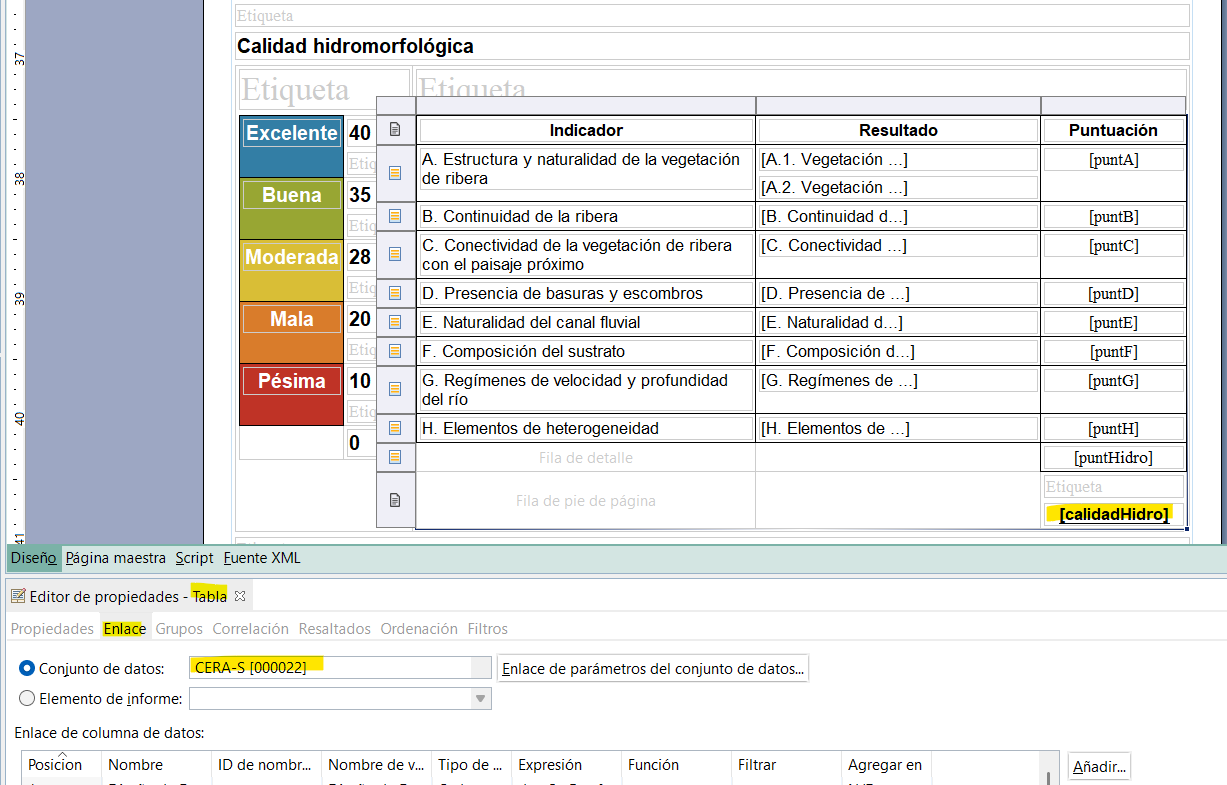
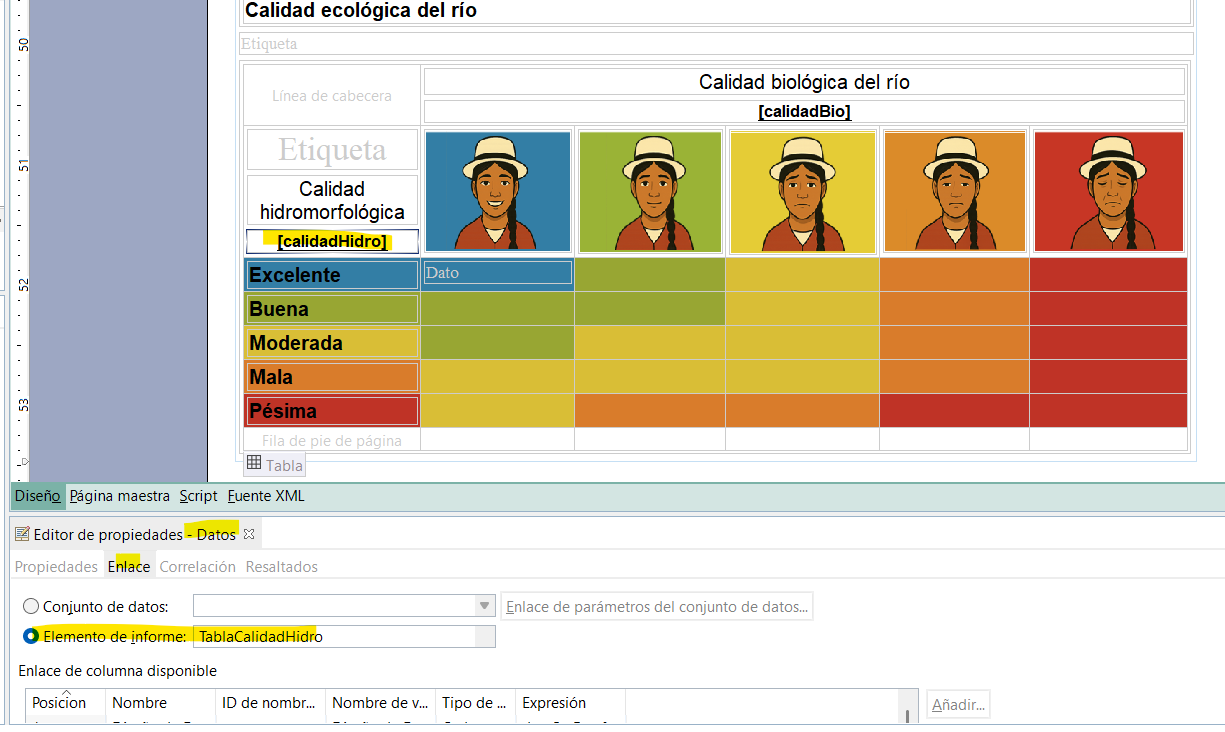
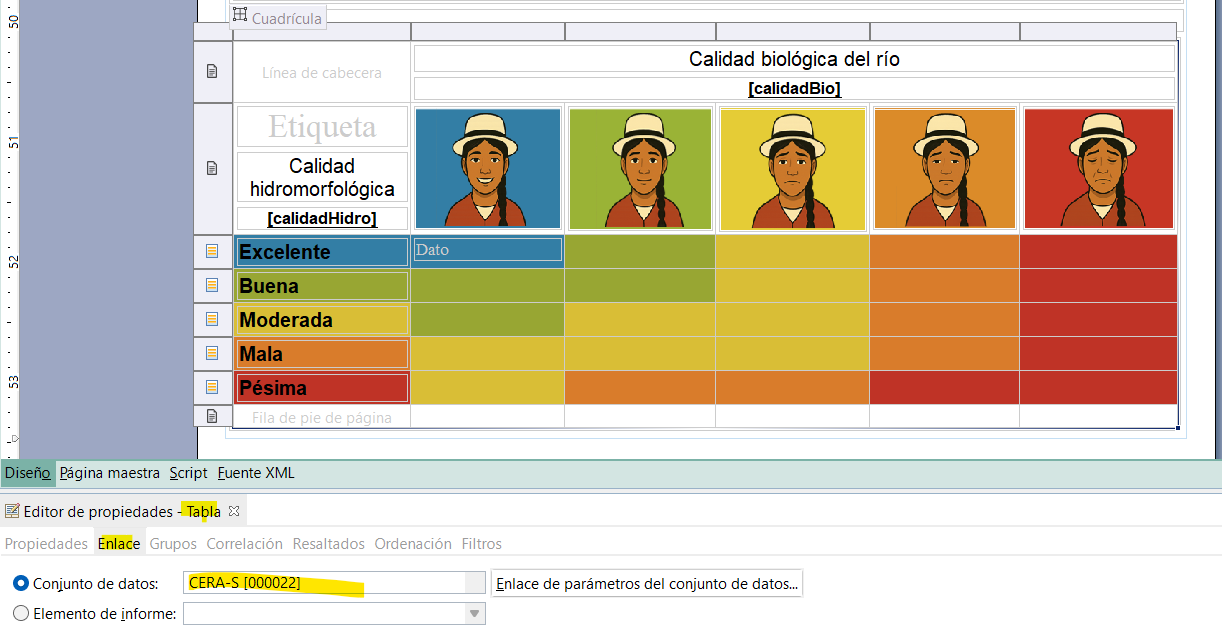
First, I created a table and calculated a variable called calidadHidro using a dataset named CERAS.
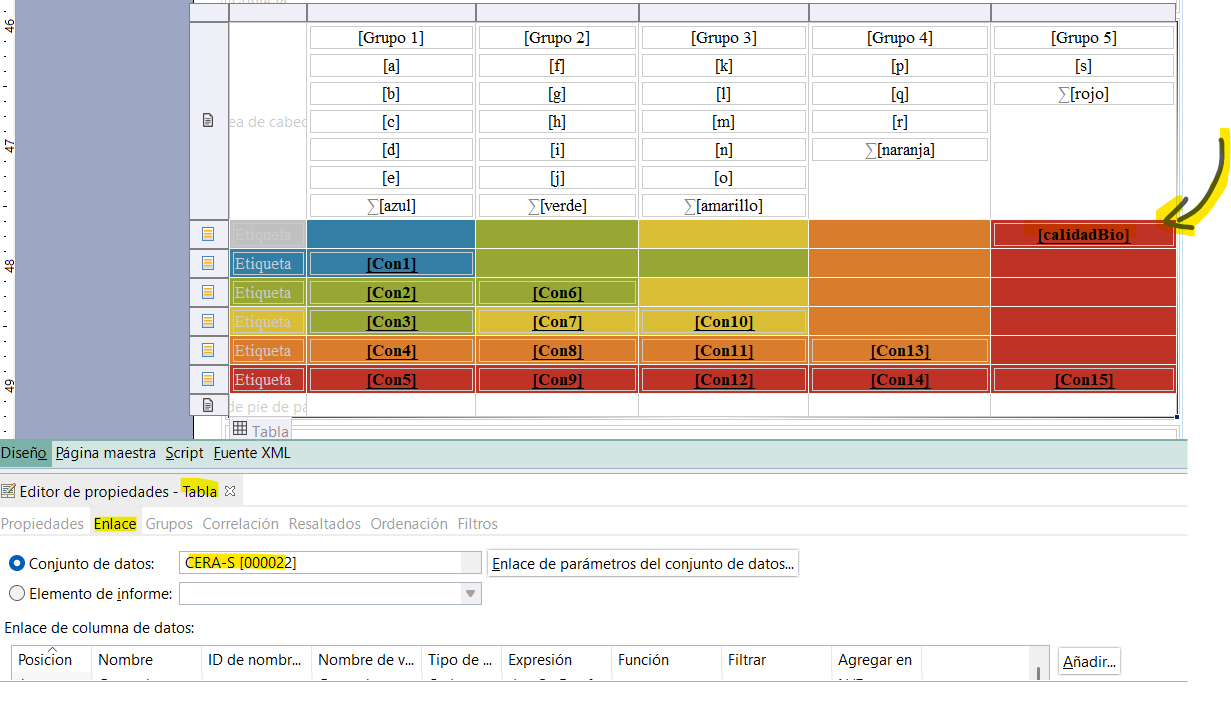
Then, I created a second table where I calculated another variable called calidadBio, also using the same dataset (CERAS).
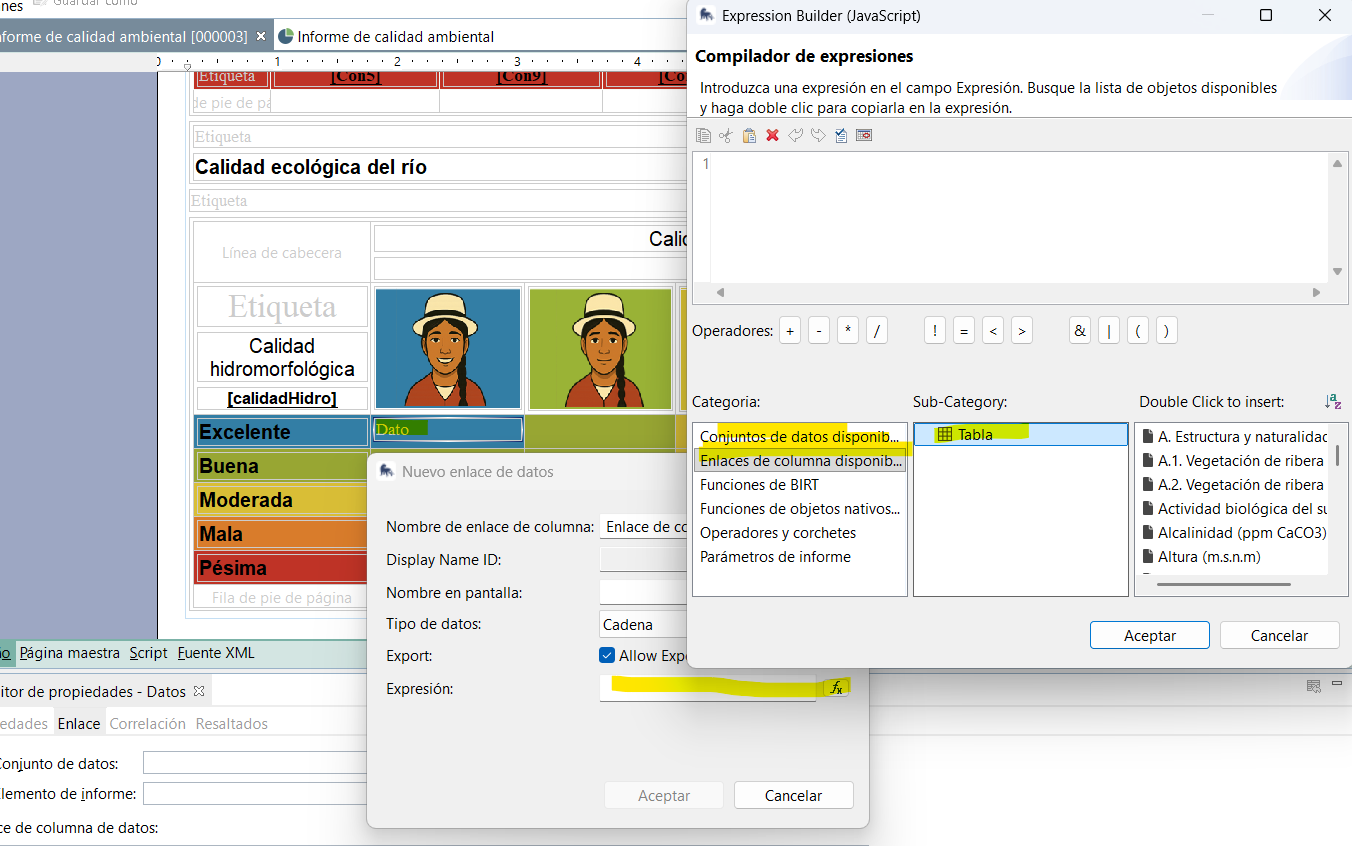
Finally, in a third table, I want to use calidadHidro and calidadBio to create a new calculated field with the expression builder (as previous steps).
The issue is that when I try to write the conditional code in the third table, the variables calidadHidro and calidadBio do not appear as available fields, so I can’t reference them in the code editor.
Both variables are correctly linked to their source tables, and the third table is linked to the same dataset.
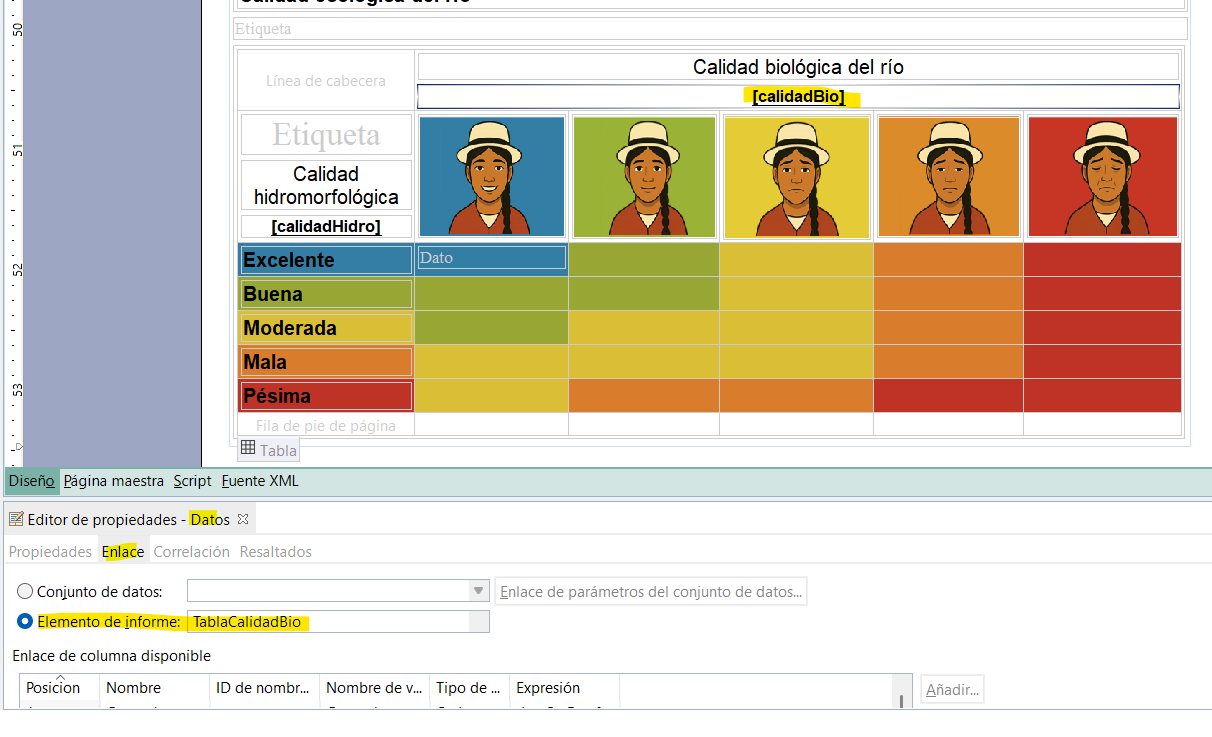
Am I missing something? Is there a way to define a variable once and reuse it across different tables in the report? Or how can I calculate a new variable based on calculated fields from other tables?
Thanks for your ideas
Jackie