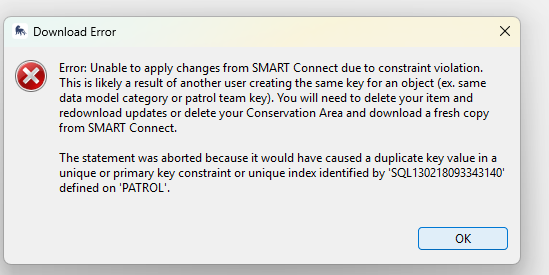
Hi All -
This error appeared while I was grooming data. If I understand correctly, there’s a row of data somewhere that I edited that clashes with a row in the CA as it sits on Connect. Is there a way to use the SQL object identifier below to see which patrol the error is associated with? I’d like to learn what change I made triggered the error. I do the same procedures with hundreds of patrols monthly and haven’t seen this one before.
In case it’s relevant:
- We are in our first weeks of using SMART 8.1. When reviewing and editing many patrols in succession, the cache has been filling a lot faster than it was when we used 7.5.6 requiring system restarts.
- I’ve cleaned up the queue in Connect per another post with a similar (albeit not identical) error.