Our site is suddenly having an issue with uploading data to connect, from a package that has been used all year without issue. When they select upload data, the wheel turns around and around, and then the app just closes. This only happens with this project, other projects on the same device upload fine. Interestingly, we are able to successfully upload data from this same package on a different device.
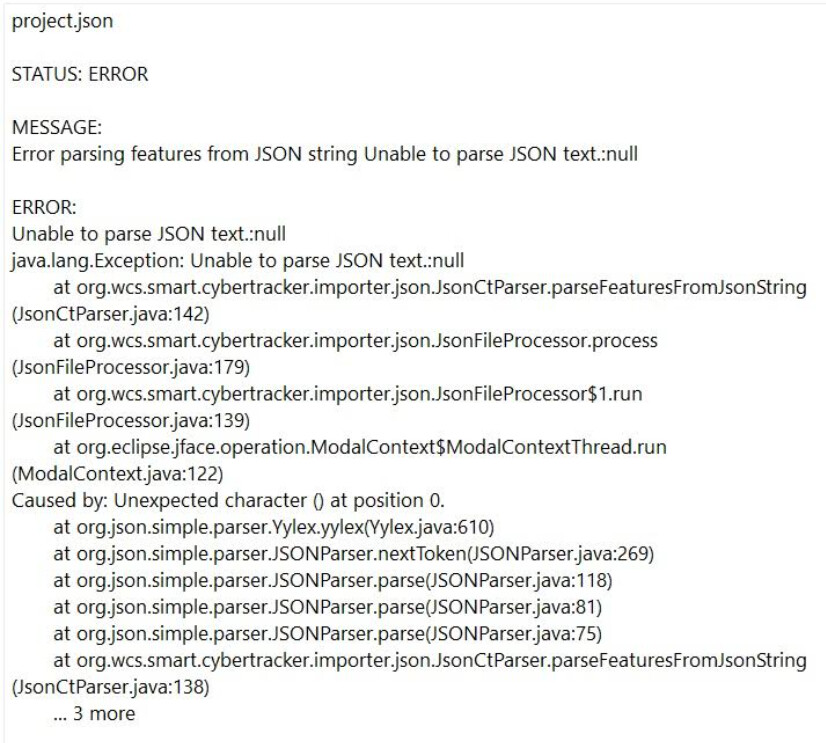
I asked the team for their archived file, which we tried to import, but received the below error message. Are we trying to do this incorrectly, or is there something wrong with the file itself? Any ideas why this error would suddenly crop up like this? I am happy to share the archive file for further insight, please let me know who to send it to.
We are just nervous to do that as our current archive file won’t import into our CA, so we do not feel confident that the data under this current version of the package is recoverable?
I am still struggling with this issue. When I try to export data or recover connect data, the app just crashes. The data backup file is not importing manually into the database. It says null.
Just to add to Natalie’s post, on multiple occasions now (including for this file that crashes the app when we attempt to export it to connect) we have tried to manually import backup data from the data archive into SMART. The backup data from the archive is always called 0.json, and it will not import, the error message reads:
Error parsing features from JSON string Unable to parse JSON text.:null
I have played around with trying to recode the data, and convert the data file in R, with the help of AI, but coding is not my area of expertise, and each iteration I try to import gives me the same error message.
Please, if anyone could help us, we would be very grateful, we quite desperately need this data, with end of year reports due etc. If anyone could share a resource as to how to convert archive files into json file that SMART would read, that would also be helpful to have on hand.