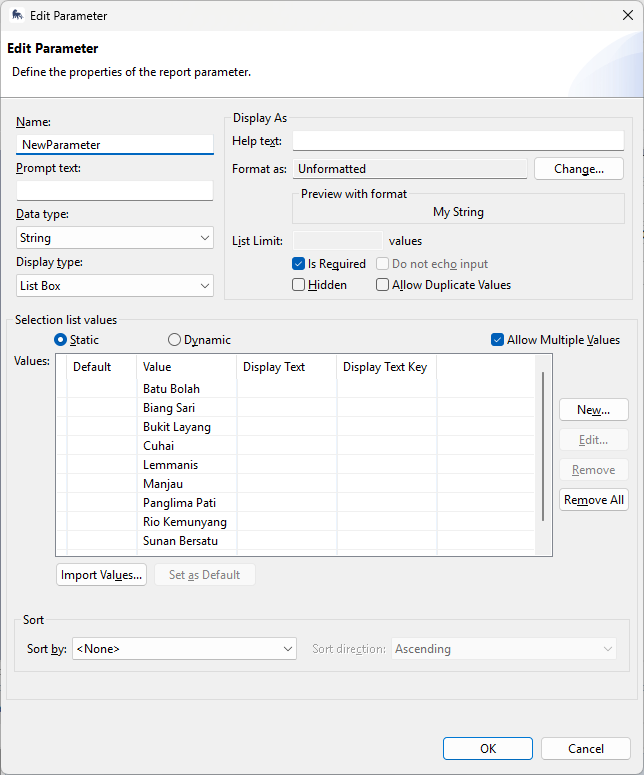
I’ve currently got a report that contains a table of aggregations using data for a single station (parameter “Station”). It produces patrol summary information listed by employee name (header_0 in the table). The data for the selected “Station” is filtered in row header_1. I’d like to add a second station to the report (i.e., “Station1”).
- I added the parameter “Station1” to the report. The dialogue box prompts for both stations as intended when do do a test run.
- If I update the expression in the filter condition to “Station1” (in place of “Station”) I get the expected data from the new station.
Where I’m stumped is how to filter to get “header_0” to show data from both parameters “Station” and “Station1”. I’ve been assuming this is in the filter conditions but when I can’t sort out the expression I need. I’ve been trying various iterations of and (=) and or (|) expression which all seem to result in a blank table (i.e., no header_0 data; and I am updating query bindings each try).
Am I on the right track or way off?
I am also curious about the “Value 2” column in the filter dialogue box (second screen shot below) but can’t seem to be able to edit it?
Thanks for any insight. This is my first real dive into anything report-related.