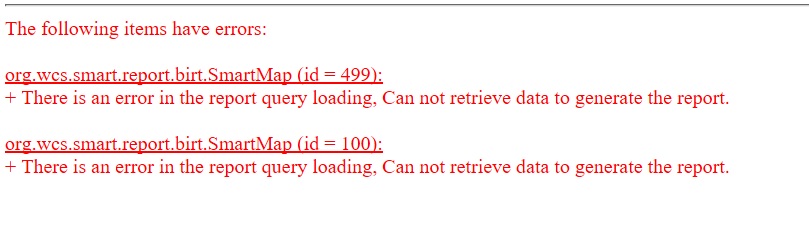
I am getting an error within the reporting tab that seems to refer to a problem generating a SMART map for two of the queries. The other SMART maps all generate fine in the report but I cannot find the error causing these 2 to fail. I have attached a screenshot of the error message here.
Just wanted to find out more info here. Are these queries ones that you created a copy of from another query and then just altered the values?
If so have you tried to quickly recreate the same query from scratch and see if that has sold the issue?
When creating the maps, did you duplicate the frames to keep them the same size in your report?
Sorry for the late reply here. I did re-create the queries from scratch but got the same error. They are the original queries but appear to have corrupted sometime during the upgrade to V7.5.6. I dont have another explaination.
I managed to resolve it only by going back to an old report template and copying this across to the new Version and then re-jigging all the queries to match. This worked fine but was tedious.
No idea about duplicating frames to keep size, what is that? How do you do that?
There is an error in the report query loading, Can not retrieve data to generate the report."
and in my case I did duplicate the frames to keep them the same size. Does this action create the error?
It is weird because I was running the report multiple times and the maps were just fine. Then I add a column in a table with different queries, and the maps started to fail.
I fixed a map section by starting it from scratch, but i want to understand the problem to avoid it when creating my report.
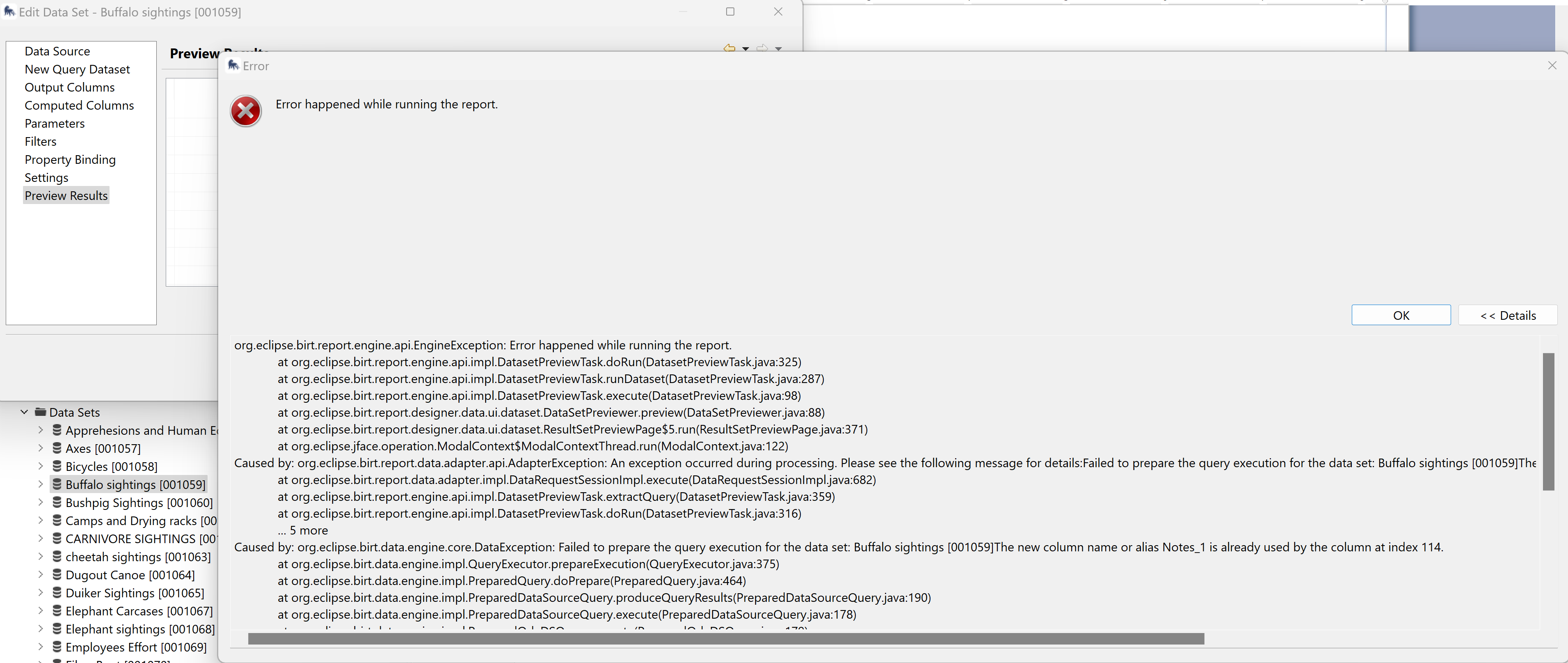
I have shared a fix on the forum for this error. Additionally to the guide, for SMART Map errors, check to see what queries are added to the map layer. Find the dataset, click “edit” then select “Preview Results”. It will return an error. In my case, the error indicated there was a duplicate name or alias in the columns (see image below).