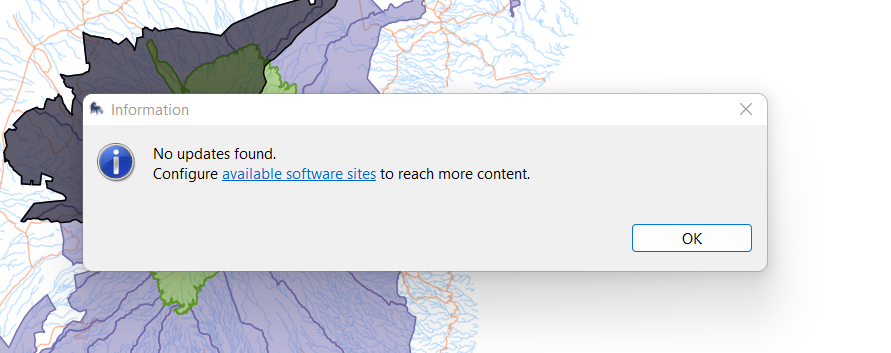
Dear team I am unabale to upgrade my SMART DT from V7.5.10 to v12. Whenever I check for update All I get is the attachment below telling me no updates found. I have also tried to folow the instruction sent here attached
Hi all here is the update !!!  Dear SMART Community,
We would like to inform you that a SMART Desktop patch release is now available, which includes a fix for the SMART Mobile USB import issue where users would see the message: “No data files imported from device”. This was triggered by recent Android security changes which affected the ability to import data from mobile devices via cable.
To implement this fix you need to upgrade your SMART Desktop applications. The process described below is specific to users running SMART 7.5.x versions. If you are running SMART 8. x.x, please continue using the workaround shared in the previous announcement email. A follow-up announcement will be made with instructions on how to apply the upgrade. Please see the instructions on how to apply the patch.
Upgrading to SMART 7.5.12 (Desktop)
Before you start: Always back up your Conservation Area.
Upgrade from SMART 7.5.1 (or later) to 7.5.12 (Check for Updates Method)
Log into your SMART Conservation Area (any CA will work).
Navigate to File → “Check for Updates”
Upgrade from SMART 7.5.1 (or later) to 7.5.12 (Update Site Method)
Download the SMART 7.5.12 update site.
Log into your SMART Conservation Area (any CA will work).
Add the update site:
File → System Preferences
Plugin Install Locations (left menu)
Click Add… (right)
Name: SMART 7.5.12 Update Site
Location: click Archive… and select the downloaded update site file
Click Add, then Apply and Close
Run File → Check for Updates and follow the prompts.
Note: If “Check for Updates” does not upgrade you to 7.5.12, the online update site may not be updated, use the steps above.
If you need assistance, contact info@smartconservationsoftware.org and consider joining the SMART Community Forum for peer support and resources.
Thank you.
The SMART Team
I nant go past Download the SMART 7.5.12 update site. because of the screenshot attached
Please advise
look for
Enock