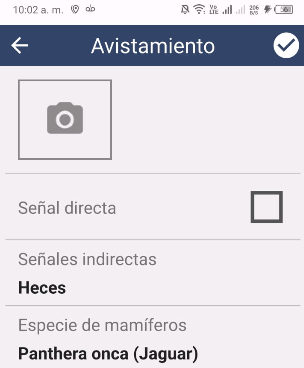
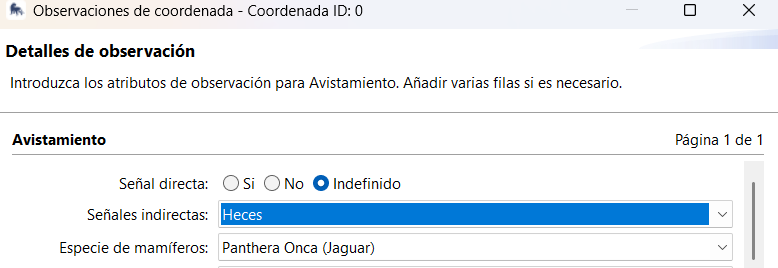
I would like to report a bug related to boolean attributes when using SMART Mobile and exporting the data to SMART Desktop.
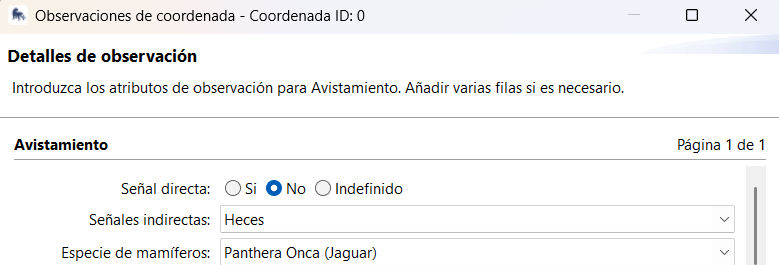
When a boolean attribute is left unmarked in SMART Mobile, it should appear as “No” in SMART Desktop. However, it is currently displayed as “Not defined,” which requires rangers to manually correct the records.
We would appreciate it if this could be reviewed and considered for improvement in future versions.
Hi Jackie, thank you for bringing this to attention. Agreed that this is undesirable behavior for the boolean attribute. One potential workaround would be to instead use a list attribute with options for “True” vs “False”, but of course this is not as immediate and straightforward as the check-box offered on the mobile app. Otherwise, we can make this concern known to developers and have it considered for future improvement.
I’m experiencing the same issue with this type of attribute. The strange thing is that I had a form designed before 14 February, and it worked perfectly. I updated it due to some changes, and now the ‘No’ option doesn’t appear on the desktop. I tried a few things and realised that if I select and deselect the option, ‘No’ does appear on the desktop. Is there a way to fix this? I don’t want to rebuild the form with selection attributes — there are several identical ones and I don’t want to make so many changes for the park rangers.
I think we actually need a 3-state check box for this. That means that the behavior would need to be something like:
Undefined - maybe a question mark or something like that inside a box?
Unchecked
Checked
And tapping it would cycle between the three states.